Deploying an API Portal locally
In order to deploy an API portal locally on your development machine, you may follow these steps.
Create a configuration
Make sure you have created a configuration repository and/or cloned the repository to your local machine. If you cloned it, place a deploy.envkey file in the static directory, containing the deployment key (PORTAL_CONFIG_KEY). This key was created the first time you created your repository; you should have kept it in a safe place (which is not git).
See also:
Make sure a portal-kickstarter is running at http://localhost:3333 (described in detail in the above document):
$ cd /path/to/repository
$ # For Windows and Mac OS X:
$ docker run -it --rm -v `pwd`:/var/portal-api -p 3333:3333 haufelexware/wicked.portal-kickstarter
$ # For Linux:
$ $ docker run -it --rm -v /path/to/repo:/var/portal-api -e LOCAL_UID=$(id -u) -e LOCAL_GID=$(id -g) -p 3333:3333 haufelexware/wicked.portal-kickstarter
Enable env vars for portal and API hosts
Enable using environment variables for the host names you want to deploy to. To do that, open up the IP, DB and DNS page in the kickstarter. Click the two checkboxes depicting that:
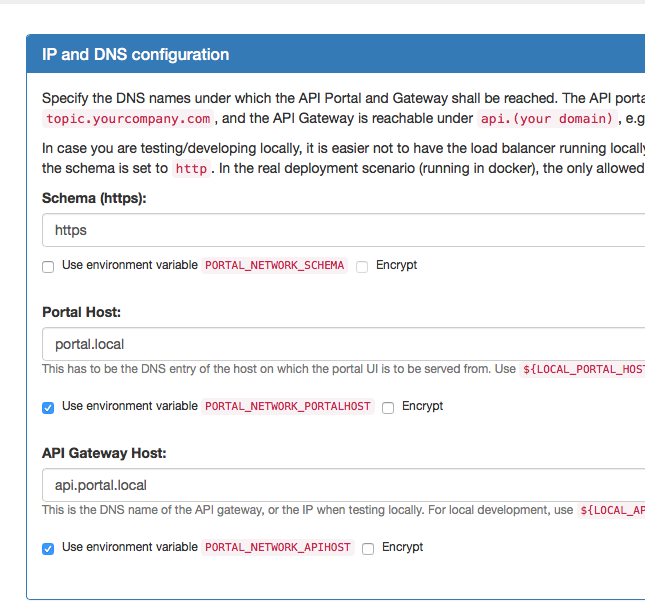
Hit "Save" to save the configuration. Now you will be able to see that there are two new environment variables.
Create a localdev environment
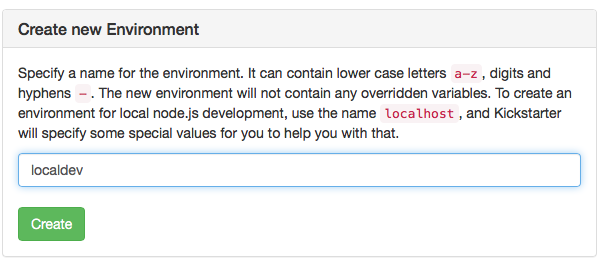
Within the kickstarter, go to the Environments Page and create a new Environment called localdev (you may also choose any other name, just NOT localhost, see setting up a development environment; localhost is a special name which triggers some special behaviour):
Open up that environment and override the two hosts environment variables we defined above:
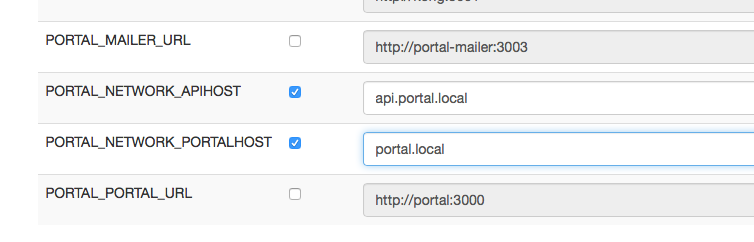
Use the mentioned values:
portal.localfor the Portal hostapi.portal.localfor the API host
Create /etc/hosts entries
In case you haven't yet followed the "Getting Started" instructions, you will need to create local hosts entries for these new host names:
127.0.0.1   portal.local
127.0.0.1   api.portal.local
This has to added (most probably using sudo) to /etc/hosts on Mac OS X and Linux, or to C:\Windows\System32\drivers\etc\hosts on Windows. Make sure pinging these names work.
Create a docker-compose.yml file
Go to the Deployment Page in the Kickstarter; if you don't have a docker-compose.yml in your base configuration directory, it will look like this:
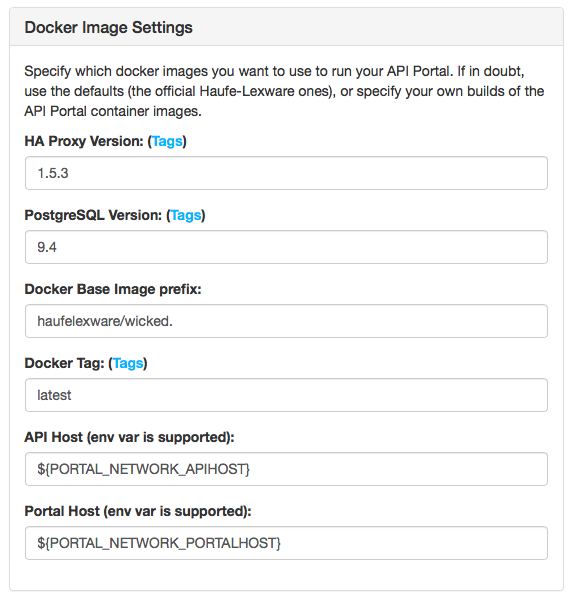
Hit the "Save" button, and two files will be created:
docker-compose.ymlstatic/Dockerfile
Inside the docker-compose.yml file, the static/Dockerfile is referenced; see also the deployment architecture for a picture of how the containers work together. The static/Dockerfile is used to build the "Static Configuration Container".
Create self-signed certificates
To test things, you will also need SSL certificates. The kickstarter can assist you in creating these at localhost:3333/ssl:
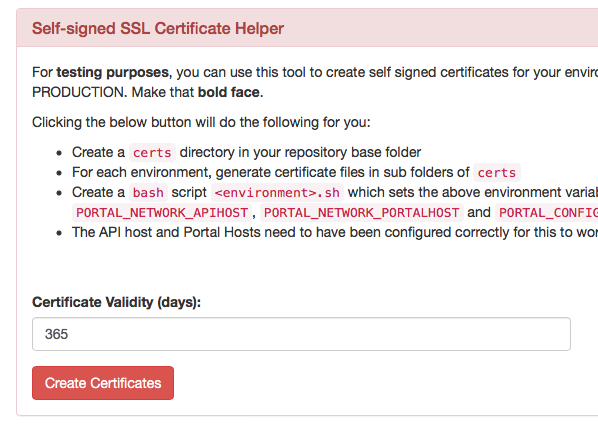
Hit the "Create Certificates" button; some files will be created in the certs directory underneath your base configuration repository. Note: This directory must never be checked in to source control, as the shell scripts contain the PORTAL_CONFIG_KEY which is used to deploy and manage the API Portal.
Deploy your API Portal to your local docker host
Issue the following commands into a bash shell:
$ cd /path/to/repo # Change this to point to your configuration repo
$ pushd certs && source ./localdev.sh && popd # Set some environment vars
$ docker-compose up -d
After docker-compose has finished, you should be able to open your API Portal from https://portal.local.
To take down the API Portal again, issue the following command:
$ docker-compose down
Please note that this will also delete all local data, such as test applications you have registered, users names you have create and so on.
Deployment Architecture locally
The local deployment does not get the static configuration from a git repository (which is the recommended way of getting it inside the portal API), but rather uses the data-only container approach as described in deployment architecture.
When taking this configuration to production, it is highly advisable to change the way the static configuration is injected into the portal API container to the git clone approach.